Blog Upgraded: New Features
I’ve been running this blog for a while, and the past year the search was broken. I had started fixing it and failed miserably. I finally took some time to redesign it and it is faster then ever.
Search fixed
My blog also serves as my own knowledge base, so search is super important! It was broken, with the update of the backend it is fixed again. I hope you enjoy it as much as I do myself. And added bonus it is not just full text search, it now also does a vector search. So typos matter less.
Indexing posts
I know you can create “watchers” that will auto index changes to your website. But I want to control this myself, without waiting and without posts that might not be indexed just yet.
So I index my posts myself, whenever there is a new post available it is directly indexed by using the same github action that also deploys the site.
Static site generator
My blog is still generated by using a static site generator, Hugo in this case. If you never heard about Hugo, check out gohugo.io. Using a static site generator this blog is still blazing fast, and as the name suggests STATIC. Meaning you cannot use server side rendering to dynamically change things. This also means that using a reaction module or comments would require some sort of backend or site rebuild to trigger.
Related posts
Since I now have a vector index with all the posts, generating related posts was a piece of cake. So I made an endpoint /api/search/related that takes an url and will return 5 most relevant posts for that post. Without me having to keep a list of related posts, each post now dynamically loads its related posts. I’m hoping this way you will also see other content you might be interested in.
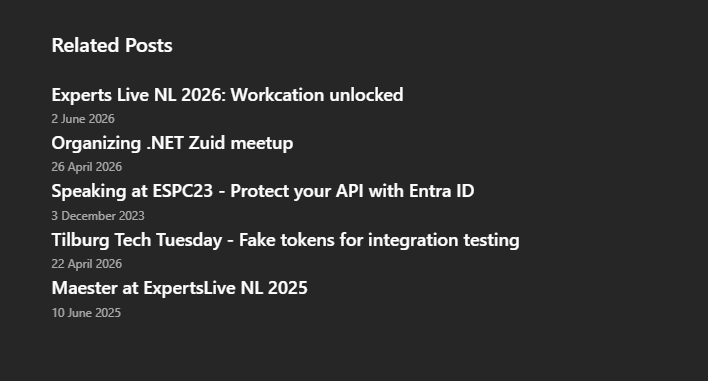
Related posts sample
Azure Functions Backend
Previously my blog had it’s own backend, but I decided that others might also benefit from it. So I started Blog Backend Functions stating both the purpose and the used hosting platform. Currently it has the following features, but there is more coming.
- Search posts
- Related posts for a certain url
- Index posts
For this to work you’ll need to setup Azure AI Search and Azure OpenAI, the later is optional but will reduce functionality. If you configured both services, the index endpoint will compute vectors for each posts and add those to the search index. You can then do a full text search and and semantic search using the Search Posts endpoint.
Routing all these queries through this Azure function protects the keys and allows me to monitor if anything goes wrong with searching.
Posts are indexed by running a special github action, that indexes all the posts of this month. Previous posts are probably already in the index, and can be indexed manually.
Planned features
This backend for your blog is not done yet, I want to create additional features like:
- Commenting module
- Reactions module
- Post image generator based on preset variables (Author name, author photo, layout)
What do you think?
Are you happy that I fixed the search? It is my cold storage memory 😉. Would you also use this backend on your own blog? What features are missing?
Let me know on LinkedIn, since there is no commenting section here just yet.