Prevent Drivers From Installing Apps
LG monitor that install adware once plugged in to your machine, that does not sound good. Apparently Microsoft allows “trusted” driver providers to include apps in their driver metadata. Meaning if Windows detects such a device it will “auto” install the apps (by default).
LG out-of-box experience
Check out this video by Gamers Nexus that revealed these issues.
Block auto installing apps from metadata
You can block this (stupid default) behavior using the settings app.
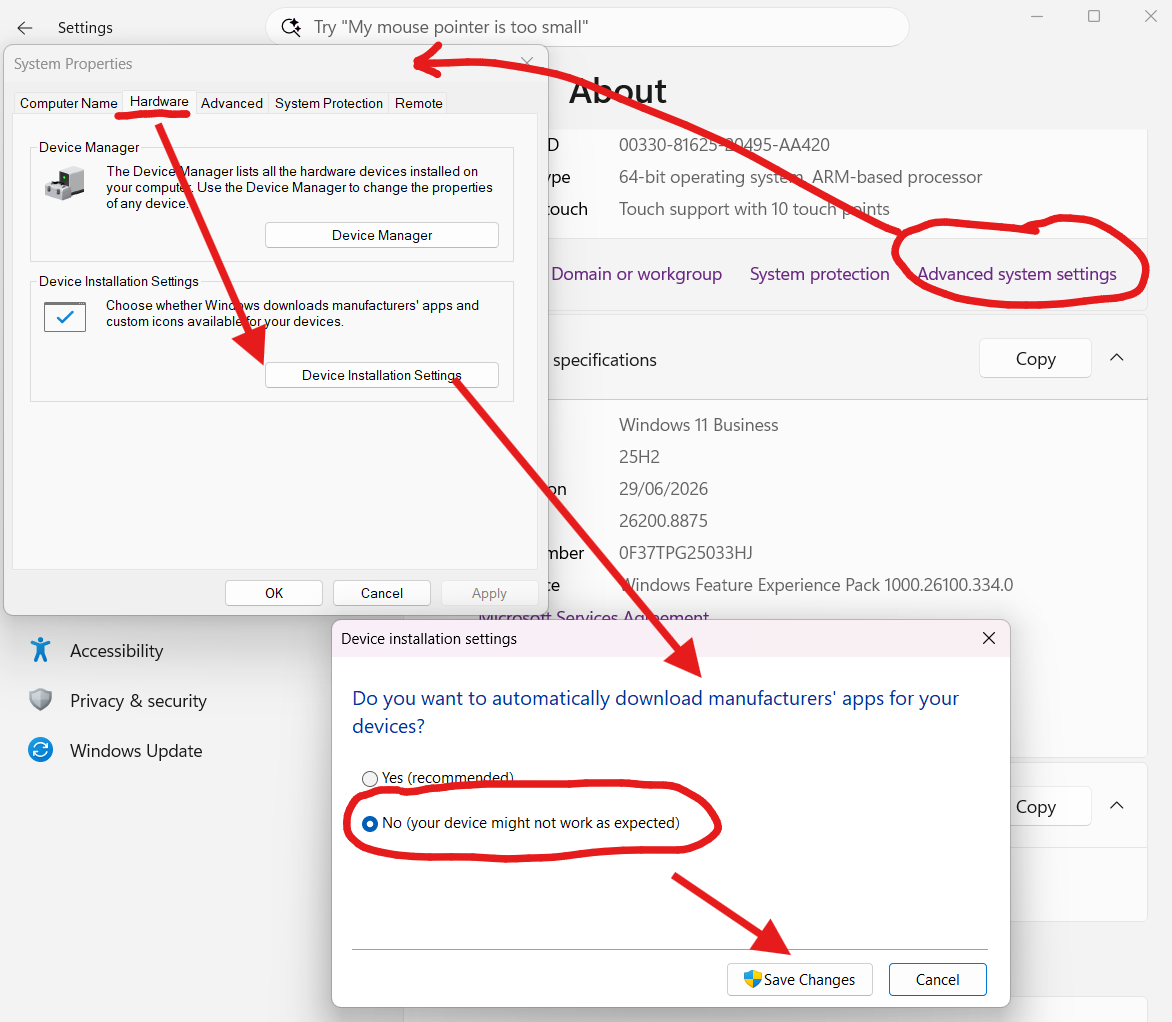
Disable driver from installing apps
- Press Windows + X
- Open Settings app
- Click System
- Click Advanced System Settings
- Click Hardware
- Click Device Installation Settings
- Select No (your device might not work as expected)
- Click Save Changes
- Confirm in the admin prompt
Block in register
- Open the register editor
- Go to
HKEY_LOCAL_MACHINE\SOFTWARE\Microsoft\Windows\CurrentVersion\Device Metadata - Double click
PreventDeviceMetadataFromNetwork - Set the value to
1
Or create a no-driver-apps.reg file with notepad, with the following content:
Windows Registry Editor Version 5.00

[HKEY_LOCAL_MACHINE\SOFTWARE\Microsoft\Windows\CurrentVersion\Device Metadata]
"PreventDeviceMetadataFromNetwork"=dword:00000001
Save it, and double-click to import.
You can also do this in an automated fashion, and I would say that is a good idea in any business environment.