Microsoft Graph Dependency issues
The Microsoft Graph PowerShell module used to have dependency conflicts with other (Microsoft) modules. You could not stably import them together with other modules. That sentence says used to because I fixed them.
PowerShell Core
With the “new” PowerShell version 6, Microsoft made PowerShell cross-platform. This was possible because they switched the runtime (the things that make it PowerShell) to use .NET Core, which was also cross-platform.
Check-out the PowerShell lifecycle for supported versions. In the rest of this post I’ll just refer to it as PowerShell.
Dlls in PowerShell
In PowerShell there is a so called default Assembly Load Context, this is where all the modules try to load their required assemblies from and in, on module import. And it is SHARED across all modules!
There are two issues with this, a module adds an older version of some dependency and the newer module cannot be imported because it is trying to load a higher version of the dependency. Because all assemblies are loaded in the same context the newer cannot be added and the module will refuse to import.
The other issue is that is the newer version is loaded first and things have changed making it import older modules correctly, but if they call changed functionality it breaks.
Refuse to import
The first module that imports an assembly, will add it’s packaged version to the default assembly load context, and that version might not meet the requirements for the other module.
| Module | Required Assembly | Can Import | Error |
|---|---|---|---|
ExchangeOnlineManagement | Microsoft.Identity.Client v600 | ✅ | - |
Microsoft.Graph.Authentication | Microsoft.Identity.Client v700 | ❌ | Import error |
Runtime error
Both modules can be imported at the same time, but the code from ExchangeOnlineModule will try to execute methods as they were available in version 600. And because the Microsoft.Graph.Authentication module loaded a different version those methods might not be there. Resulting in an error when those changed methods are called.
| Module | Required Assembly | Can Import | Error |
|---|---|---|---|
Microsoft.Graph.Authentication | Microsoft.Identity.Client v700 | ✅ | - |
ExchangeOnlineManagement | Microsoft.Identity.Client v600 | ✅ | Runtime error |
Assembly Load Context to the rescue
As a developer of a PowerShell module, you have the option to change how assemblies are loaded, by implementing the IModuleAssemblyInitializer and the IModuleAssemblyCleanup if you implement those, you can hook into the AssemblyLoadContext.Default.Resolving delegate and change how assemblies are loaded.
This delegate gets information about which module it trying to load assemblies and which assembly is searched for.
You can use a custom Assembly Load Context to resolve only the assemblies if they were requested from your module.
PowerShellRepackager
As a developer this I hated that everyone was complaining about PowerShell modules being incompatible, so I decided to help Microsoft a little by “repackaging” existing modules with a separate loader so they would no longer interfere.
PowerShell repackager can be found here or in the PowerShell gallery which resulted in these modules:
- Svrooij.MicrosoftTeams 7.9.0.1
- Svrooij.ExchangeOnlineManagement 3.10.1.1
While this is a reasonably working solution, it is not something I look forward to. Keeping those repackaged versions up-to-date would be a hassle.
Pull request 3789
If I can built it directly into the Microsoft.Graph.Authentication module everybody would be able to use it. Since it is all open-source I decided to spend some time in fixing this long standing issue.
Let me introduce you to pull request 3789. This PR moved some code to a different library and introduced a custom loader. Completely isolating the libraries used by this module from all other (versions) of libraries used by other modules. This PR was quickly approved and a new version 2.41.0 was released soon after.
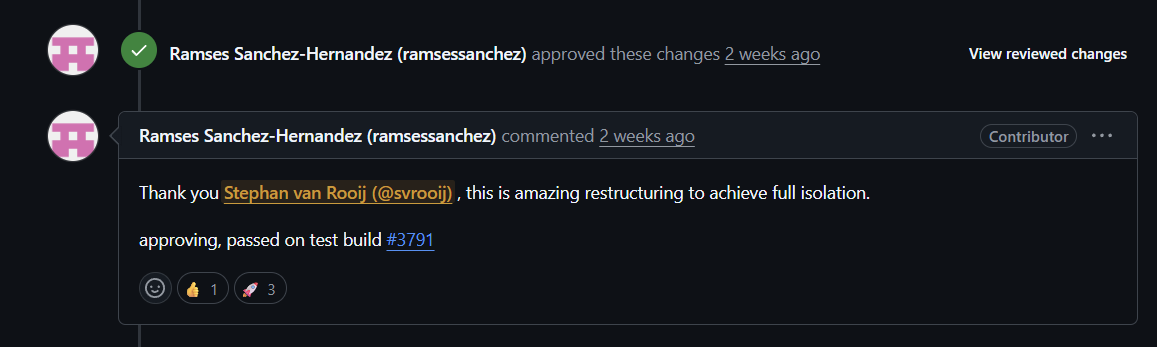
Ramses approved the PR
New issues
This PR caused two new issues:
- Removing and re-importing did no longer work. A fix was released in 2.41.1.
- It tried loading
System.Text.Jsonfrom the runtime and not the packaged version, which stopped it from loading in (old) PowerShell versions7.2and7.4. For which also a fix is waiting.
I’m very sorry that this cool new update, caused these two new issues! I hope you can forgive me 😉
Other resources
- Tony Redmond Microsoft Graph PowerShell SDK v2.41 finally fixes assembly clash
- Andres Bohren 2.41.1 release and 2.41.0
Conference
Do you think this would make a great story for your conference, send me a message and I’ll do a level 400 session on dependency loading in PowerShell.



